
Product tour
Run the whole sale in Clayto, from first contact to signed quote.
Pipeline, deal records, quotes with manager approval, email sequences, automations and reporting, with AI that suggests the next step on each deal.
Demo video
A tour of Clayto
Coming soon
Deals and pipeline
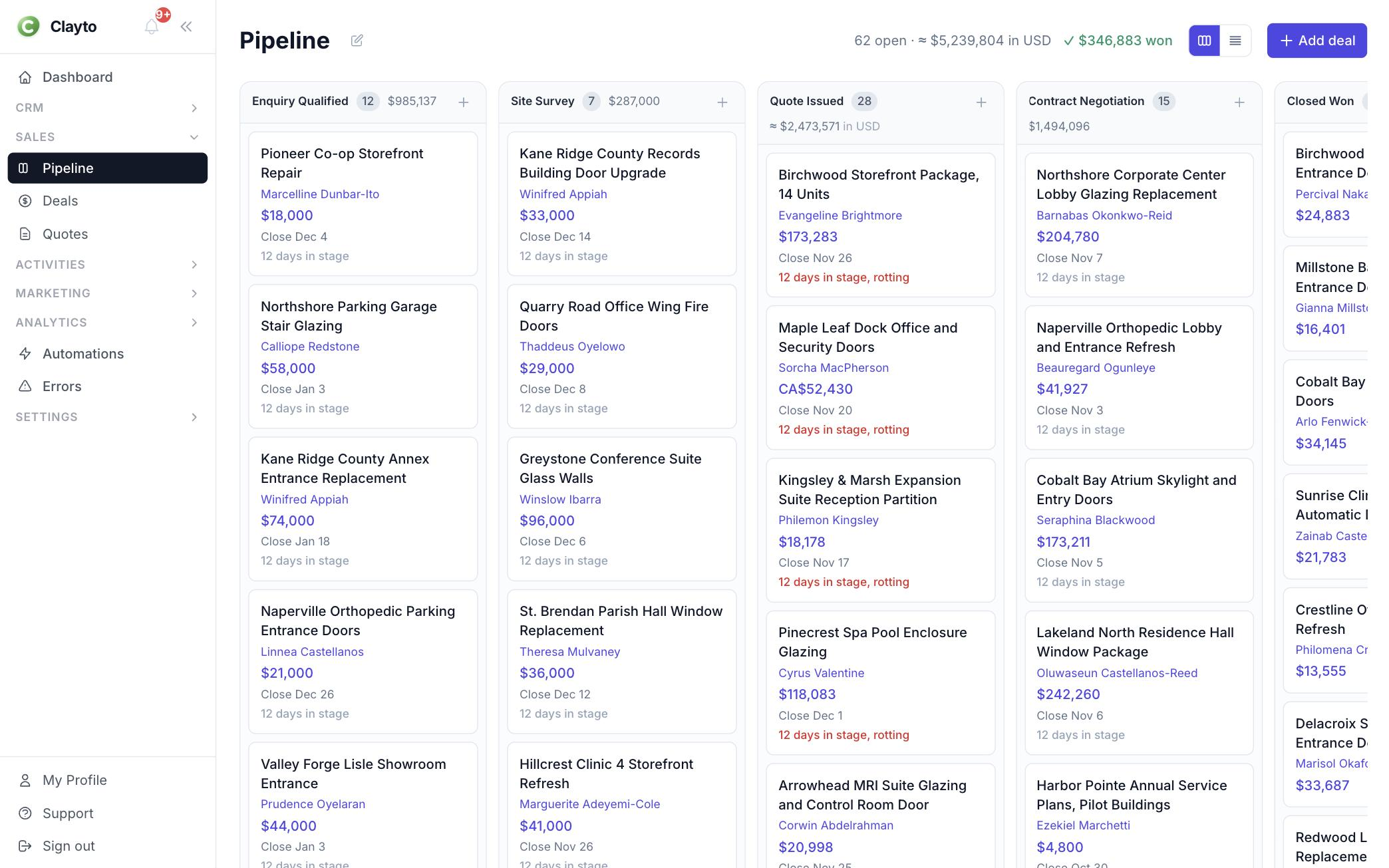
Every deal, and the whole pipeline, at a glance.
Run one pipeline or several, each with its own stages. Every column shows its deal count and total value, and every card shows how long the deal has sat still. Add the fields your business tracks, like a site survey date or a project reference, and they appear on every deal.
Red marks a deal that has sat too long in its stage.
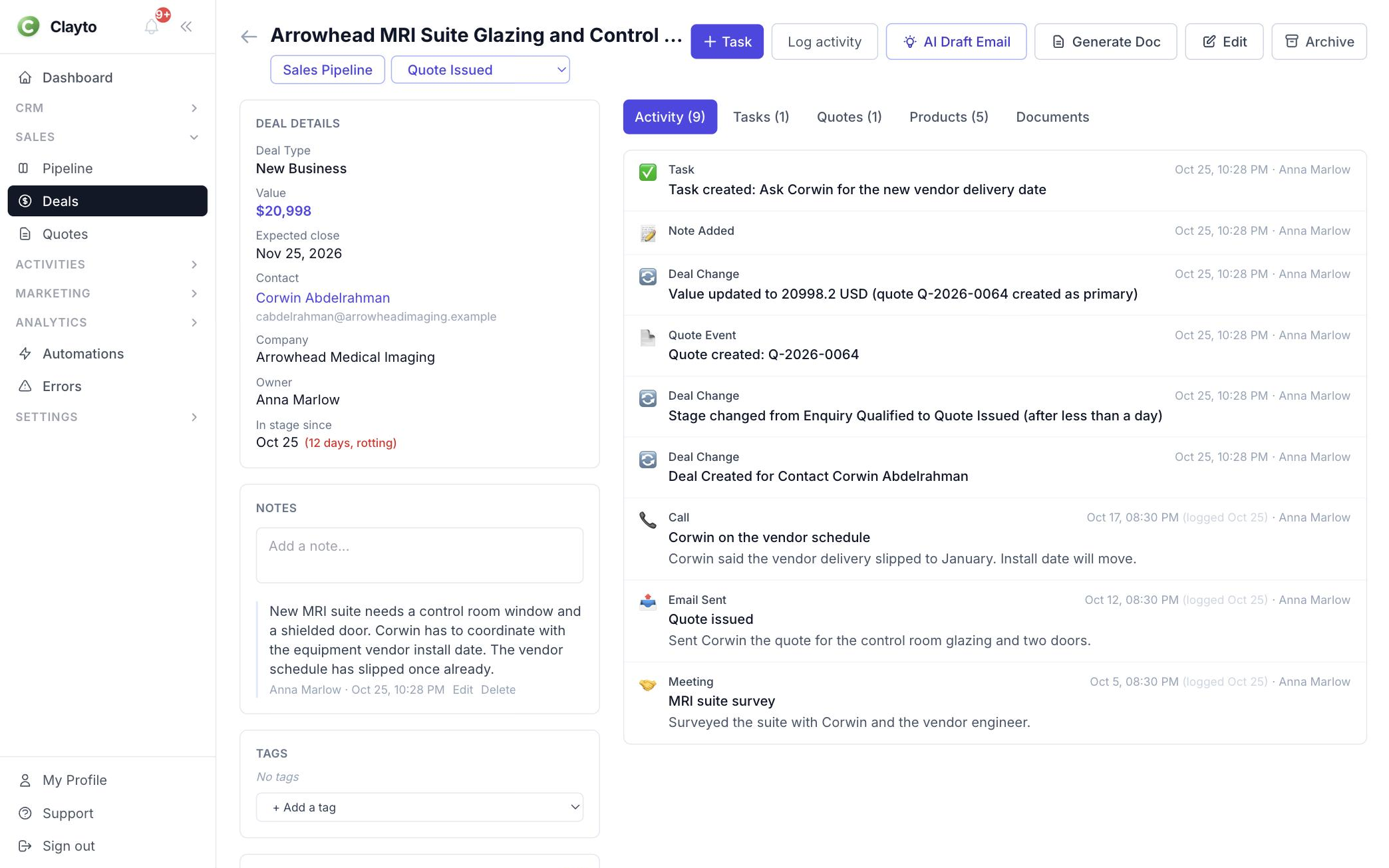
A deal record anyone can pick up.
The timeline holds every call, email, meeting, note, stage change and quote, with who did it and when. Tasks, quotes, products and documents sit one tab away. Won and lost deals lock, and deals are archived instead of deleted, so your history and your numbers stay intact.
Days in stage and the open task sit on the same page as the history.
Quotes
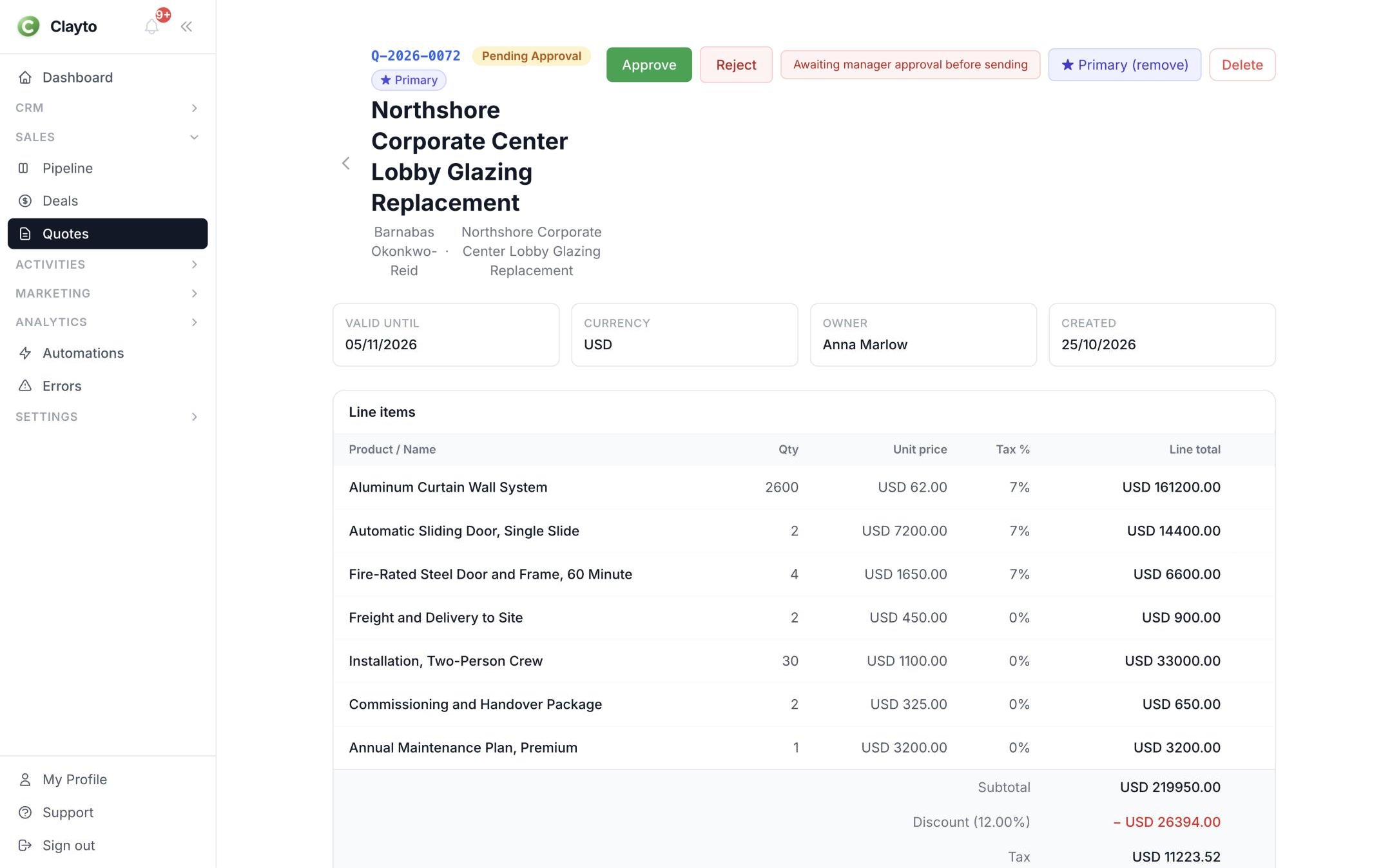
Quotes that protect your margin.
Pick products from your catalogue, set quantity, price and tax per line, and apply a discount. Above your limit, the quote waits for a manager to approve or reject it. Quotes move from draft to sent to accepted, keep every version, and expire on their valid-until date. The primary quote sets the deal’s value.
Circled: a 12% discount, waiting for a manager’s approval before the quote can be sent.
Follow-up
Follow-ups that happen on time, without anyone remembering them.
Email sequences that know when to stop.
Send a series of emails from your own mailbox, spaced over days. The moment a contact replies, books a meeting or unsubscribes, their sequence stops, so nobody gets a follow-up after they have already answered.
Sent from your own mailbox
Stops on a reply, a booked meeting or an unsubscribe
Email 1
Introduce yourself
Wait 3 daysEmail 2
Follow up on the first email
Wait 4 daysEmail 3
A last, short check-in
Stops for that contact as soon as they
Automations that act when a deal moves or goes quiet.
Pick a trigger such as a stage change or a deal that has sat too long, add an if and else to branch on what you know about the deal, and choose what happens next. Start from a template, build on the visual canvas, or describe what you want and let AI draft it.
Triggers on stage changes and quiet deals
Branches with if and else
Templates, a visual canvas and an AI draft
Trigger
A deal sits in a stage for 10 days
If
The deal is worth more than $10,000
Then
Create a task for the sales manager
Then
Create a task for the deal owner
Flows shown are examples of what you can build.
Your day
Every rep starts the day knowing what to do first.
My Day lists tasks due, follow-ups due, today’s schedule and the deals at risk. The task list shows what each task is, when it is due and which deal it belongs to, with anything overdue in red.
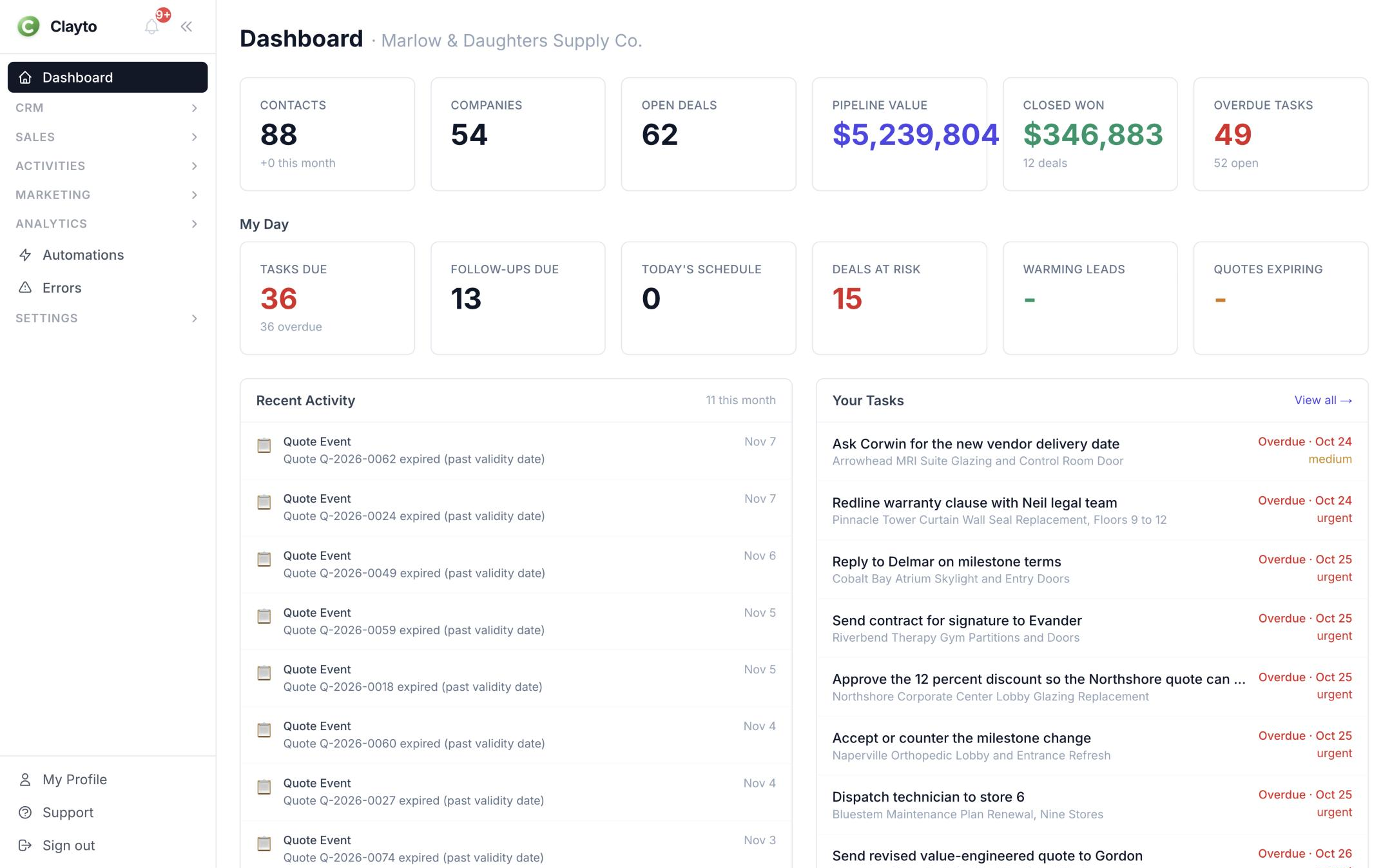
Overdue tasks and deals at risk are the numbers to look at first.
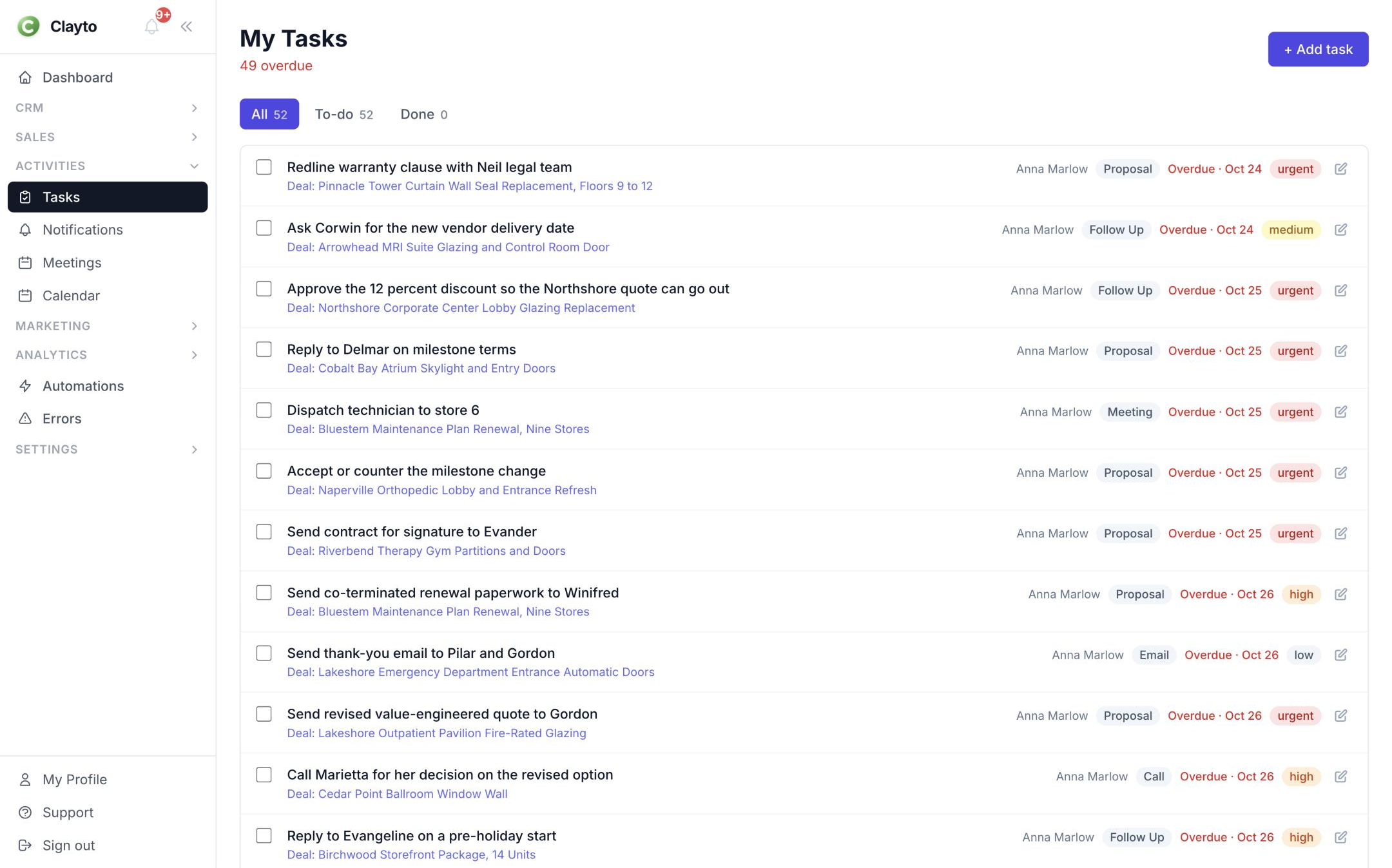
Overdue work is flagged in red, with its priority beside it.
Clayto AI
AI that works from what your team has recorded.
Three AI features, each built into the screen where the work happens.
Deal Coach
On any deal, press Get Advice. Clayto’s AI checks the open tasks, recent activity, quotes and expected close date, then says where the deal stands and suggests one next step. You can refresh it after you log something new, and rate each answer.
Circled: the 12 days the advice is based on, and the one step it suggests.

Demo video
Deal Coach on a real deal
Coming soon
Email Drafter
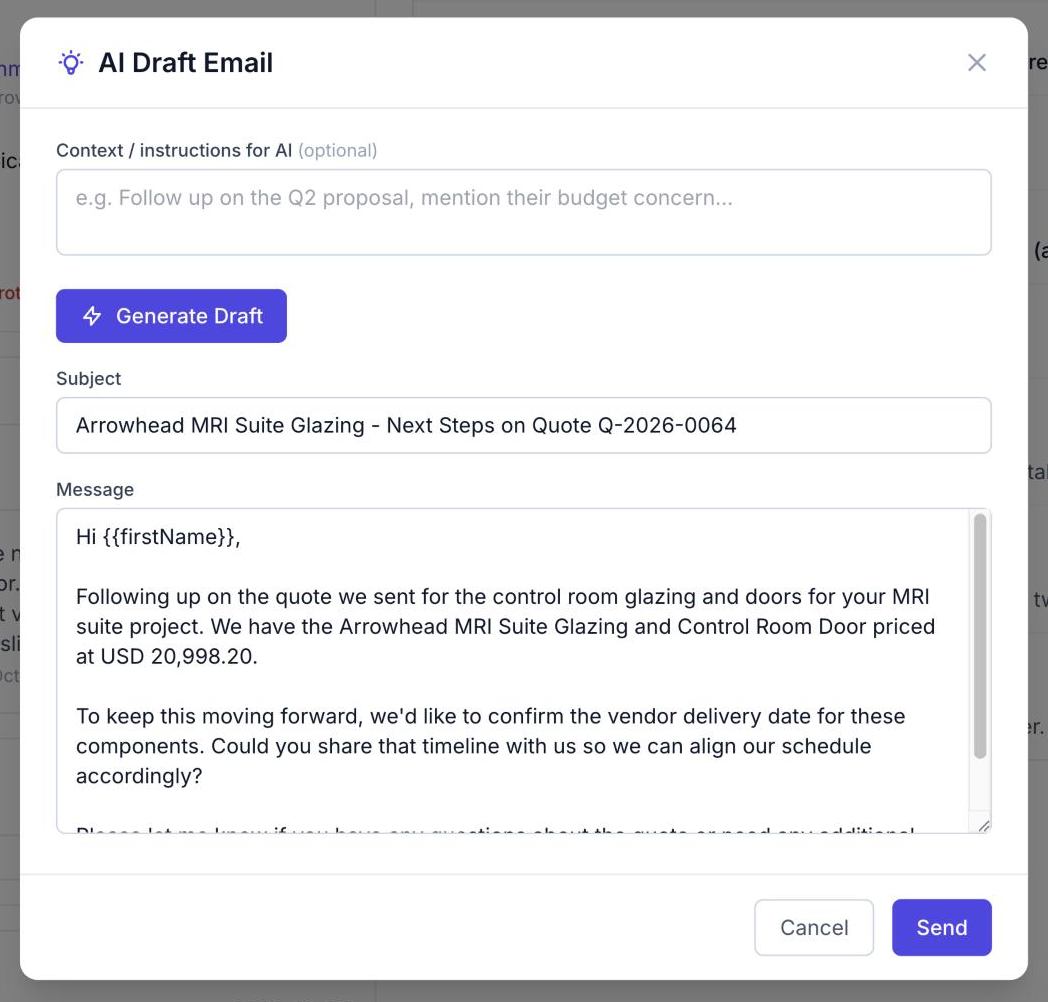
Open a deal and ask for a draft. The AI writes the subject and message from the deal itself, like the quote total and what was said on the last call. Add an instruction if you want a different angle, then edit and send.
Circled: the draft starts from the deal and cites its quote number.
Data health score
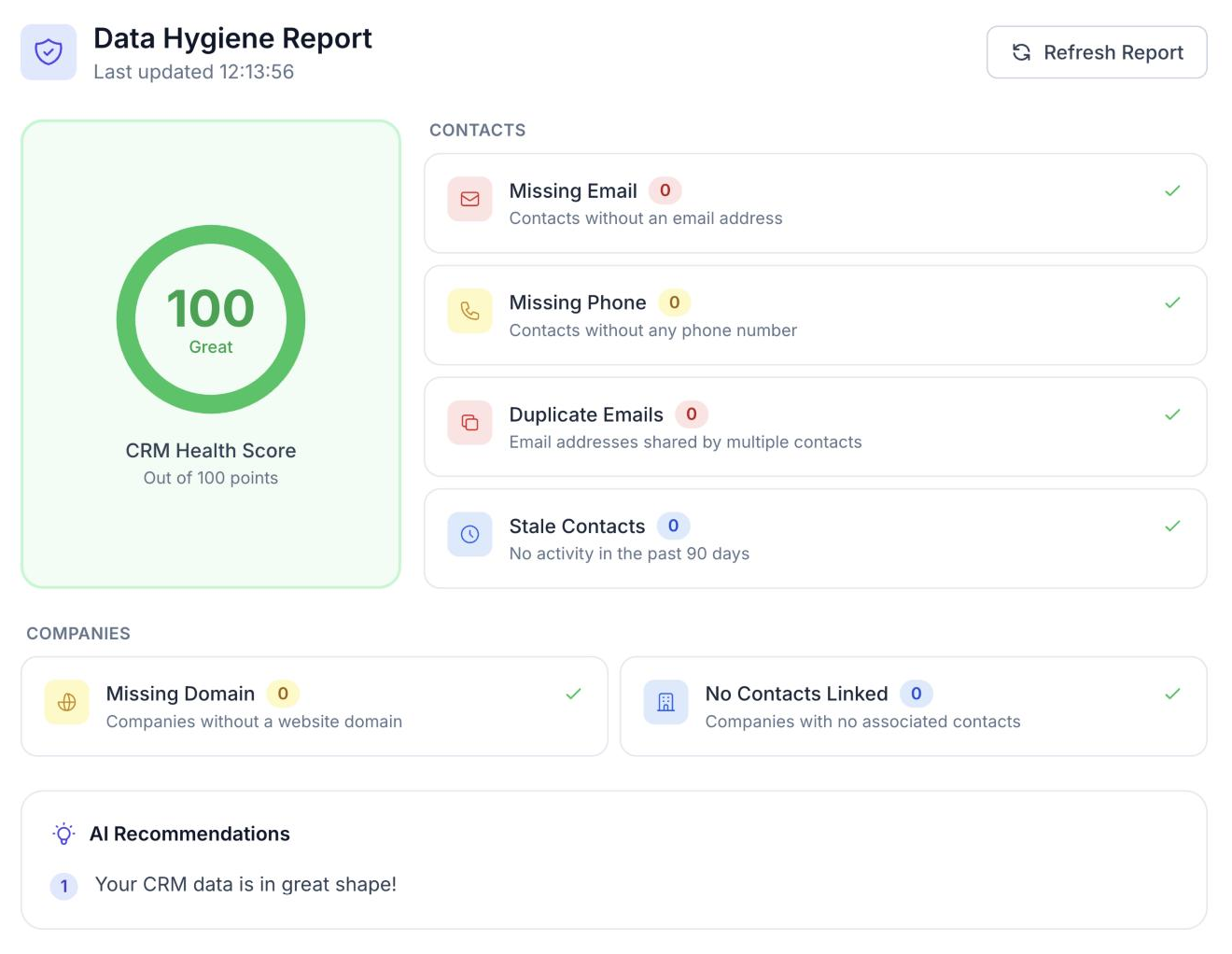
A score out of 100 for your whole CRM, with counts of contacts missing an email or phone, duplicate emails, contacts nobody has touched in 90 days, and companies missing details. AI recommendations tell you what to fix first.
Circled: the score, with the counts that explain it listed beside it.
Reporting
Numbers everyone can trust, at the right level.
Dashboards and reporting
Pipeline, revenue, win and loss, and activity reports. Reps see their own numbers, managers see the team’s.
Goals
Managers set targets for a rep or the whole team, and everyone sees live progress.
Leaderboards
Managers see how the team is doing against each other, and can award achievements.
Integrations
Connected to the tools you already use.
Gmail and Outlook
Emails sync both ways and match to the right contact and deal on their own.
Google Calendar
Meetings show up as activities, with Google Meet links for bookings.
API and webhooks
Connect anything else your business runs on.
See your own pipeline in Clayto.
Book a demo and we will walk through it with your own deals.